Connection dropped? It picks itself back up.
Sessions reconnect on their own, then re-check your permissions before handing control back.
Remote support and RMM (remote monitoring and management) in one dashboard: remote control, patching, inventory, monitoring, scripts and network checks. You pay per device, not per technician, so hiring someone doesn't cost you a licence.
1,000 devices on Cloud: US$21 a month. That's about 25¢ per device, per year. No, there isn't a zero missing.
New: talk to your fleet with AI →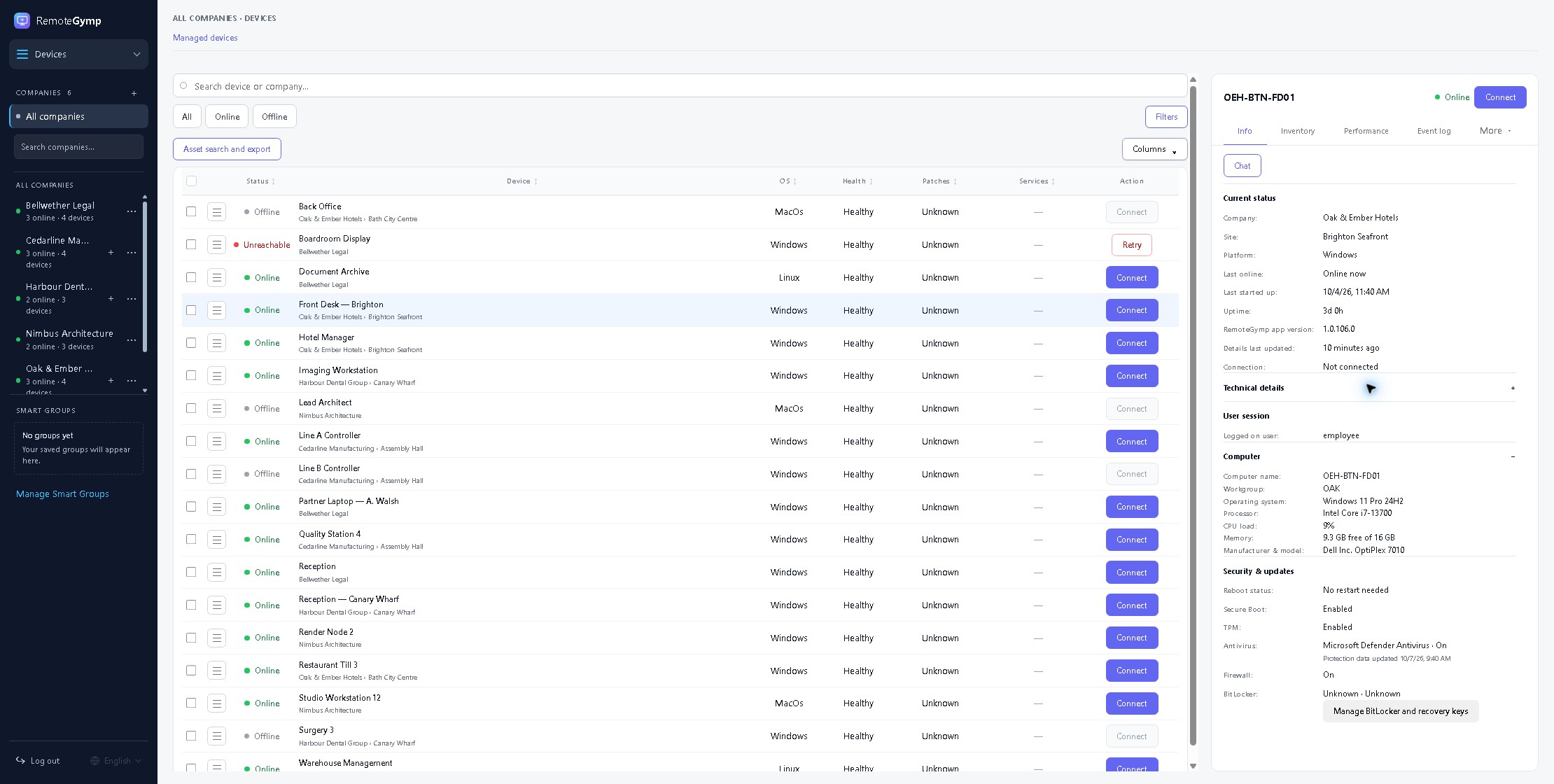
Sessions reconnect on their own, then re-check your permissions before handing control back.
Open a terminal, move files or start a Ghost Session while they carry on working.
Hardware, software, performance history and recent changes, ready before you connect.
Patch, restart or run a script across selected devices, then check each result.
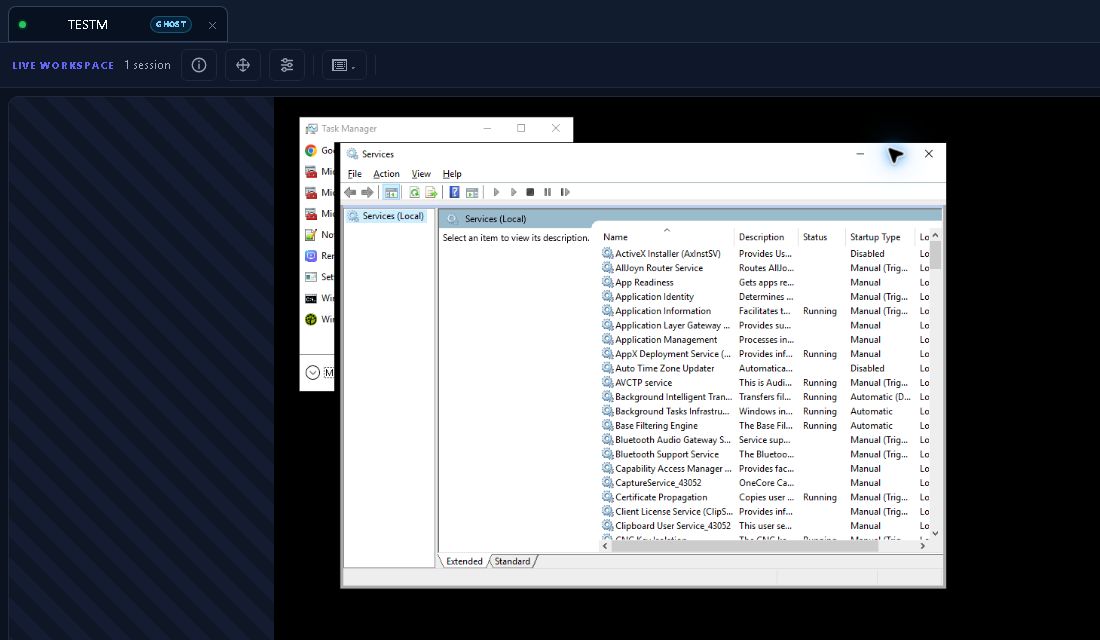
Ghost Session gives you your own separate Windows desktop on their machine. You fix things there; they keep working on theirs, uninterrupted.
Windows · logged-in user required · every session audited
Install the agent once, then connect whenever you need to, with or without someone at the keyboard.
Help someone now on supported devices. On a computer they run a small one-off download; on a phone or tablet they use the RemoteGymp Support app. They approve the session, and it doesn’t add a managed-device charge.
Platforms and requirementsSend someone a browser link to one of your managed devices. No account, no install. The link expires on its own, or you can cancel it early.
It started as remote support. Then we kept building, and it turned into a full RMM. Help the person at the screen, manage the machines behind them and keep the network in view.
RMM tools without the enterprise RMM bill: inventory, patching, device history and remote control in one place. Help the user, then find the cause.
A full RMM with remote support built in. Companies, sites, scoped roles and customer access. Add technicians without adding a seat charge.
Smart Groups, bulk actions, network discovery and optional monitoring. Cloud or Self-Hosted, with the price on this page.
Find the devices on a client’s network, check connectivity and see how the network is performing. Switches, access points, printers and compatible NAS devices belong in the picture too.
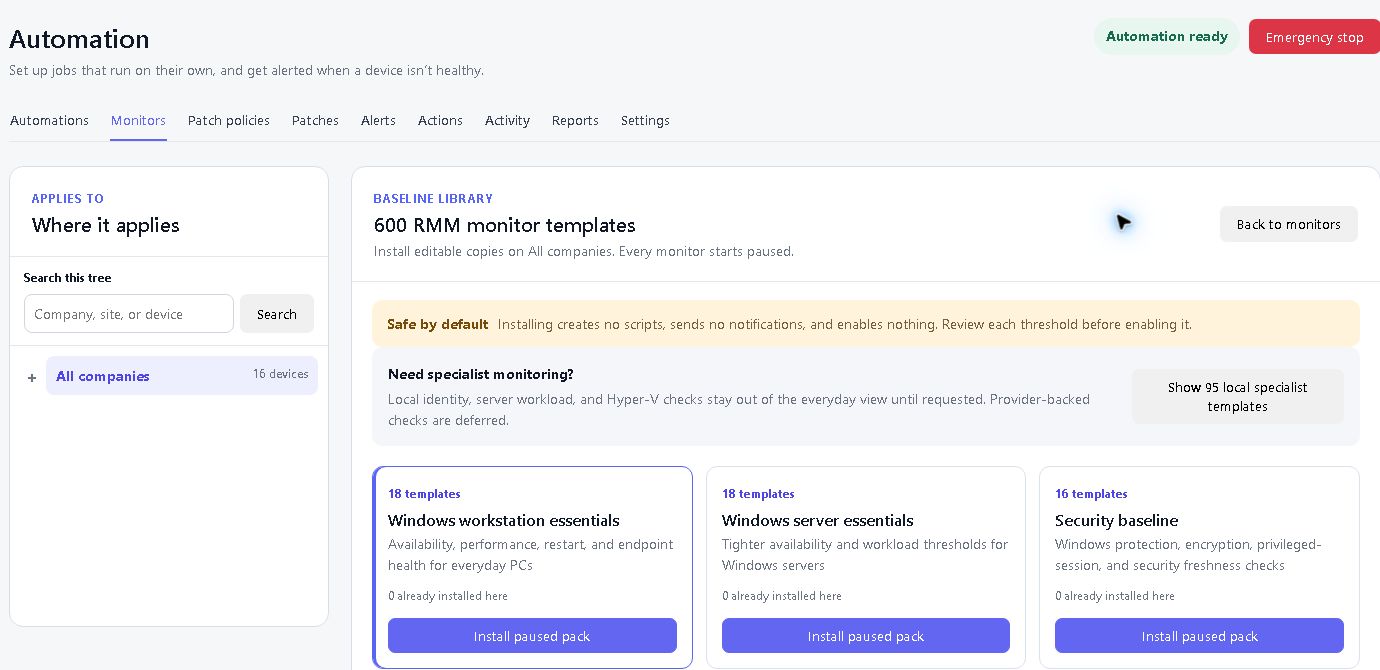
Run routine jobs on a schedule, get alerted when something breaks, and see exactly what ran on each device.
What 1,000 devices costs with each vendor, remote access tools and RMMs side by side. What's included differs, so read across the row, not just the price. Prices are in each vendor's own currency, before tax and promotions.
| Product | What is included | Price for 1,000 devices | Technicians and billing |
|---|---|---|---|
| RemoteGymp | Full RMM and remote support, Cloud or Self-Hosted: remote desktop, Windows Ghost Session, patching, inventory, automation and network discovery. Optional services cost extra. | Cloud: US$21/month (US$252/year). Self-Hosted: US$42/month (US$504/year). | Device-count pricing, billed monthly. Unlimited technicians; no per-technician fee. |
| ScreenConnect Remote Access | Unattended remote access and background machine management. ConnectWise RMM is a separate product. | US$8,268/year (US$689/month equivalent), billed annually. | 1,000-device package, licensed per device. |
| Splashtop SOS + 300 | Attended and unattended remote support. Endpoint management and patching are an add-on. | US$1,596/year for four US$399 licences: capacity for 1,200 devices. | Four concurrent technicians. Additional technician licences increase the price; billed annually. |
| TeamViewer | Remote access and support; endpoint-management requirements depend on the chosen package. | Quote required. | User, device and concurrent-session allowances depend on the plan and quote. |
| AnyDesk Advanced | Remote access and support, including unattended access. | Regular rate: €1,342.80/year (€111.90/month equivalent), billed annually. Promotions may apply. | 1,000 managed devices, up to 100 users and two concurrent connections. Extra connections cost more. |
| NinjaOne | RMM and endpoint management, with remote access options. | Quote required. | Per-endpoint pricing; varies by region, products and contract length. |
| Datto RMM | RMM, monitoring, automation and integrated remote access. | Quote required for 1,000 devices. | Set in the quote. |
| N-able N-sight | RMM, monitoring, patching and remote access. | Quote required for 1,000 devices. | Set in the quote. |
| Atera Professional (IT departments) | RMM, patch management and Splashtop remote access. Some services, including network discovery, cost extra. | UK published rate: £1,668/year per technician (£139/month equivalent), billed annually; unlimited endpoints. | One technician at this price; two concurrent remote sessions. Each additional technician needs a licence. |
Official vendor pages checked 8 October 2026. Click a product name for its source. Quotes are marked as quotes: we left the creative arithmetic to the sales decks. Product bundles, technician allowances and optional services depend on the selected plan and vendor quote. Competitor names are trademarks of their respective owners.
Why we built itRemote support should not need a sales call.
We'd rather have a lot of happy customers paying a fair price than a few paying whatever a salesperson could get. So we put the tools in one place, published the price, and let the product prove itself on a real support day.
Cloud is US$21 a month for 1,000 managed devices. That's $252 a year, with no per-technician seats. Self-Hosted is twice the Cloud price.
Prices in USD, billed monthly.
| Devices | Total per month | Total per year | Annual cost per device |
|---|---|---|---|
| 1 | Free | Free | Free |
| 10 | $1 | $12 | $1.20 |
| 100 | $3 | $36 | 36¢ |
| 500 | $11 | $132 | 26¢ |
| 1,000 | $21 | $252 | 25¢ |
| 5,000 | $101 | $1,212 | 24¢ |
| 20,000 | $401 | $4,812 | 24¢ |
Remote support and RMM tools are included in the device price. The extras are the optional services below and AI usage, including AI Resolver, ScriptAI and AI-assisted asset searches. Review the maximum cost before each run.
These are totals for your whole fleet, not per-device charges. Cloud: 1 device free; 2–10 devices US$1 a month; 11–50 $2; 51–100 $3; then $2 for every extra 100 devices (or part of 100). Self-Hosted is twice the Cloud price. Use the calculator for your exact number.
You're billed for the highest number of managed devices you had at any point in the calendar month, whether they were online or not. Quick Support sessions don't count towards the managed-device charge. Visitor Pass doesn't add another device charge, because it opens a device you already manage.
The calculator shows the device price. Optional services and tax are extra, and here's exactly what they cost.
Put your Cloud dashboard on your own web address. US$5 a month per organisation, paid Cloud plans only. Your agents keep connecting as before, so there's nothing to redeploy.
Keep traffic history for your monitored network devices and ports. Included during your trial, then US$5 a month per company.
One shared add-on for Cloud and linked Self-Hosted installations. Connect REST integrations and compatible MCP clients, including permitted remote control and commands. AI usage and your external AI provider are charged separately.
AI Resolver, ScriptAI and AI-assisted asset searches show the maximum cost before a run. You approve the work. Self-Hosted uses your configured AI provider and its charges.
One device is free. For more, try Cloud or Self-Hosted free for 30 days. No card, no sales call.
Start free trialYes. Remote support and RMM (remote monitoring and management) are combined in both Cloud and Self-Hosted: patching, inventory, monitoring and alerts, automation, scripting, network discovery and bulk actions, with remote support built in. Optional services and AI usage are priced separately.
Yes. Push the agent out through your current deployment tools or RMM, or use Group Policy for Windows. Run both products side by side during the 30-day trial, and remove the old agent when you're happy.
A managed (enrolled) device has the RemoteGymp agent installed. Online or offline, it counts while it remains enrolled in your account. Your bill uses the highest count reached in the calendar month. Quick Support sessions don't count.
Send a download link, deploy the Windows MSI through Group Policy or your existing RMM, or use the installation command for the target platform. Devices appear in your dashboard once installed and connected.
No. The base price follows your device count. Add people to your support team without adding technician-seat charges.
We plan to keep it where it is. We can’t promise it’ll never change, but billing is monthly, so you’re not committing to an annual contract.
No card and no sales call. The 30-day Cloud trial starts when you finish email verification and MFA setup.
Remote support and RMM together: remote desktop, Ghost Session, terminal, file tools, inventory, patching, automation and network discovery. We host it, run it and keep it updated. Optional services and AI usage have separate prices, listed above.
The same combined remote support and RMM product on your own servers, at twice the Cloud device price. Internet access is required for licence checks. API & MCP access is also available on Self-Hosted; custom Cloud workspace addresses remain Cloud-only. Self-Hosted AI uses your configured provider.
No. One managed device is free, with no trial countdown. The separate 30-day trial lets you try Cloud or Self-Hosted. Optional services and AI usage have their own rules; check the prices above.
Removing retired devices reduces your future count. It does not lower the highest total already reached that calendar month. Monthly add-ons are not charged by the day.
Turn it off in its settings and check the billing status. Charges already incurred still apply. Cancel the SNMP add-on itself to end it at month end; stopping individual ports does not cancel the service.
No. Quick Support helps someone on a temporary device and doesn't add a managed-device charge. Visitor Pass gives someone a browser link into a device you already manage, without adding another device charge.
Yes. Each has its own subscription and published device prices. Self-Hosted runs on your infrastructure; Cloud-only extras stay with Cloud.
On Cloud, your organisation is your RemoteGymp account. Inside it, companies group customers or departments, and sites group offices or locations. Devices belong to sites; access and optional-service billing follow the relevant organisation or company. Self-Hosted organises devices into companies and sites within your deployment.
No. Cancel in billing settings and keep access until the end of that calendar month. Charges already incurred still apply. See the Terms for refund rights.
Yes. Connect a compatible remote MCP assistant to find device information, view screens and perform permitted actions. Choose a permission preset or custom permissions, and scope its key to one company or your organisation.
No. The US$20 per organisation per calendar month add-on covers API and MCP on Cloud and linked Self-Hosted installations. External AI provider fees and RemoteGymp AI usage are separate. API & MCP access is included at no charge under the current trial policy.
We think it's the best remote support and RMM tool in the world. We would, obviously. One device free. Thirty days free on the rest. No card, no call — go and prove us wrong.
Start free trial