See what is on the network
Find nearby devices through a machine you already manage, without installing an agent on every switch or printer.
Discover devices, monitor network health and ports, and check broadband speeds. One dashboard for the network behind the support call.
Find the devices on a client’s network, check connectivity and see how the network is performing. Switches, access points, printers and compatible NAS devices belong in the picture too.
Discovery shows you what is there. Remote control needs a managed device; SNMP monitoring history is optional.
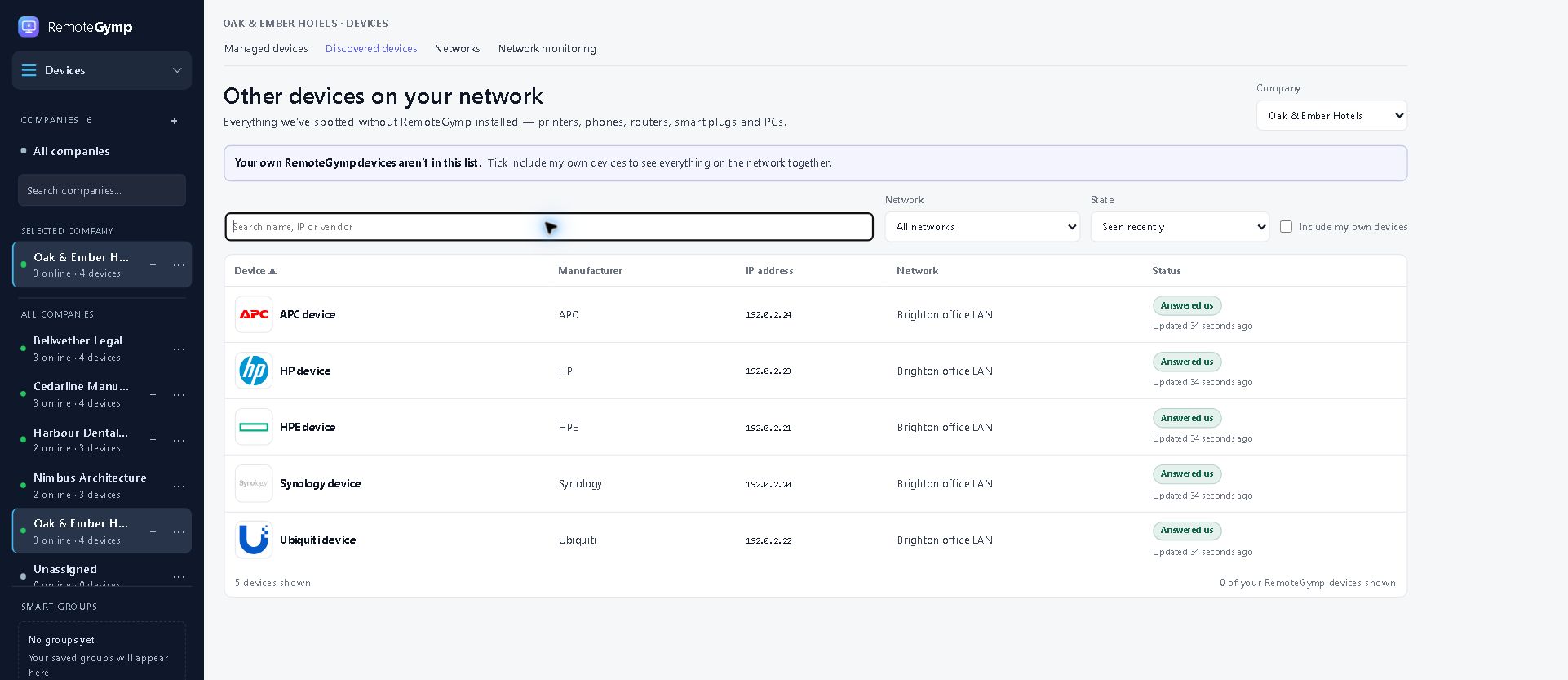
Find nearby devices through a machine you already manage, without installing an agent on every switch or printer.
Turn on an optional low-impact scan to find neighbours that haven't shown up yet. It spaces out local ARP checks to limit traffic; sensitive network monitoring may still detect it.
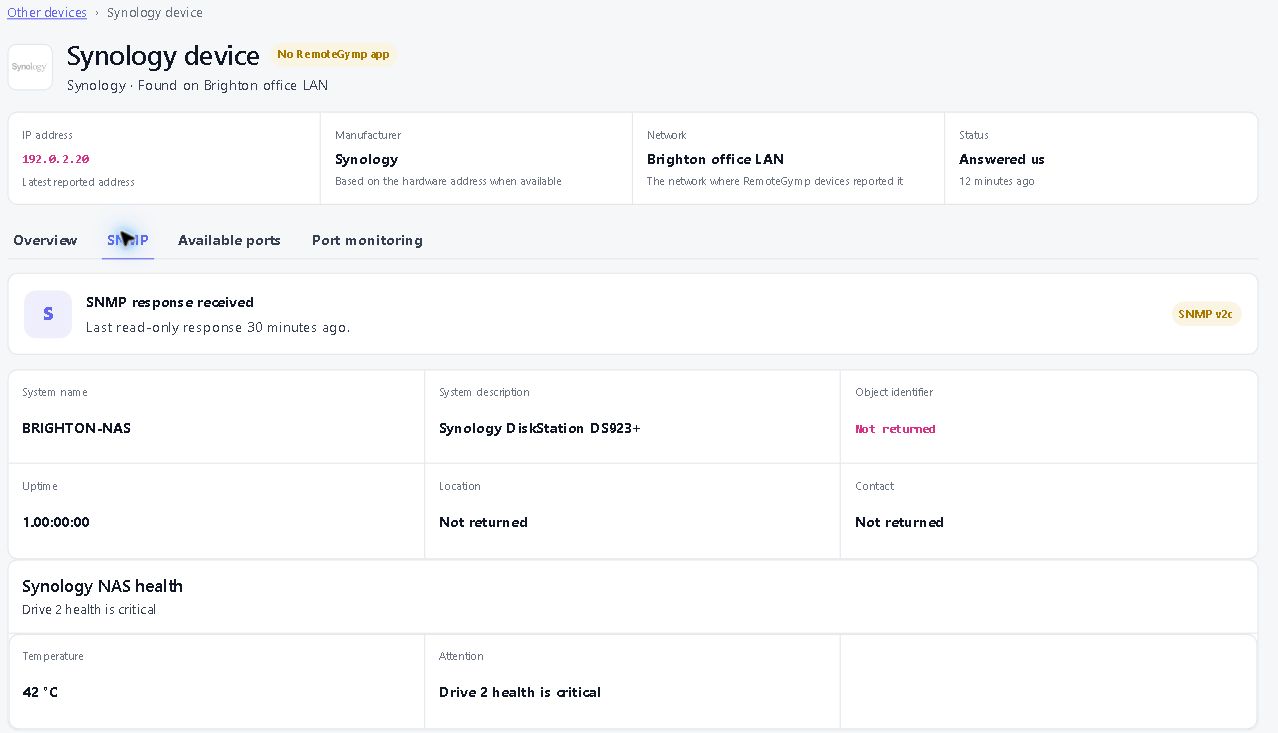
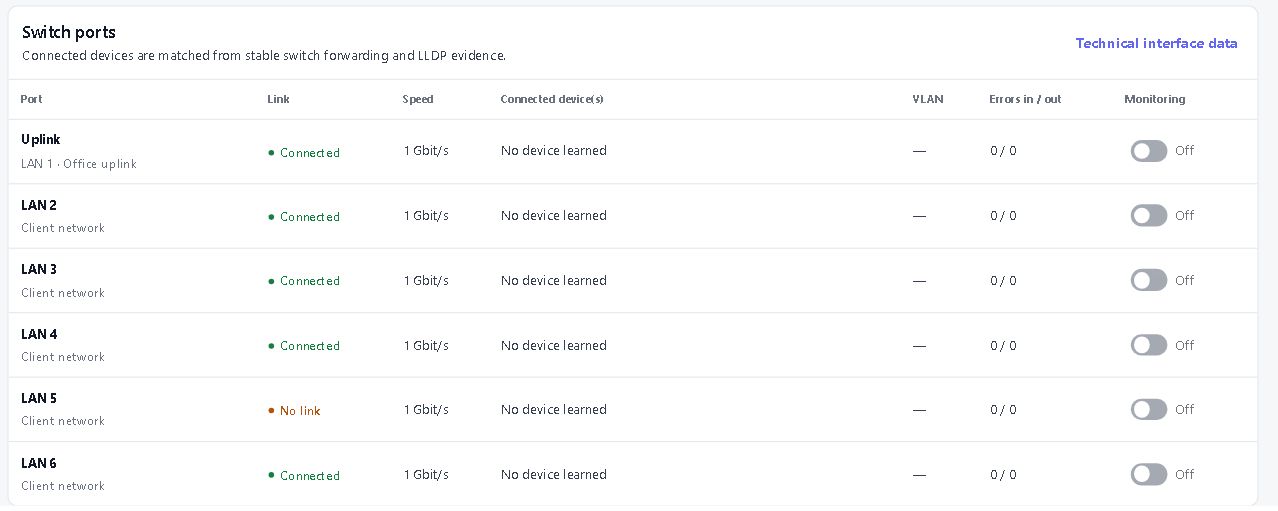
Use SNMP health packs and port monitoring to investigate network equipment. Check traffic history, device health and connectivity from the same dashboard.
From “what is that box?” to “why is that port busy?” — keep discovery, health and traffic in one dashboard.
See nearby switches, printers, access points and other equipment through a managed device. Add the optional low-impact scan to fill gaps.
Test TCP reachability from the client’s network and investigate services that cannot be reached. Handy for the next “well, it works from here”.
See supported interface status and traffic history. Track busy or inactive ports with the optional SNMP history service, US$5 per company per month.
Use packs for compatible Synology NAS, UniFi access points, UPS units, WatchGuard Firebox, HPE switches, printers and network or host devices. The available readings depend on the equipment.
Read compatible Synology disk and volume health, including reported warnings and failures. Investigate the storage problem before it becomes the whole support day.
Review upload and download results with the source device and observation time. Follow measurement history to investigate a slow connection.
Use reported neighbour and forwarding information to explore network topology. Spot how compatible equipment connects instead of starting with a blank diagram.
We think it's the best remote support and RMM tool in the world. We would, obviously. One device free. Thirty days free on the rest. No card, no call — go and prove us wrong.
Start free trial